Daily Shaarli
December 26, 2019

It is possible to configure nvcc to use the correct version of gcc without passing any compiler parameters by adding softlinks to the bin directory created with the nvcc install.
The default cuda binary directory (the installation default) is /usr/local/cuda/bin, adding a softlink to the correct version of gcc from this directory is sufficient:
sudo ln -s /usr/bin/gcc-4.4 /usr/local/cuda/bin/gcc
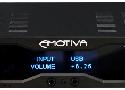
that hipster audio cred? cringe like RGB or fat dope like uhh NH-D15?
"There are lots of reasons people buy external DACs, but the most common is because they are pretty cool. You are unlikely to find many of your friends that have a DAC. Nothing screams, "I know more about audio than you," than having a device that has your friends scratching their heads. While there are a number of reasons to buy a DAC, the best two are to eliminate noise from your source and to combat systemic jitter. If these are your issues, an external DAC is the solution."
sudo systemctl set-default multi-user.target
sudo systemctl set-default graphical.target
source https://docs.01.org/clearlinux/latest/tutorials/nvidia.html